
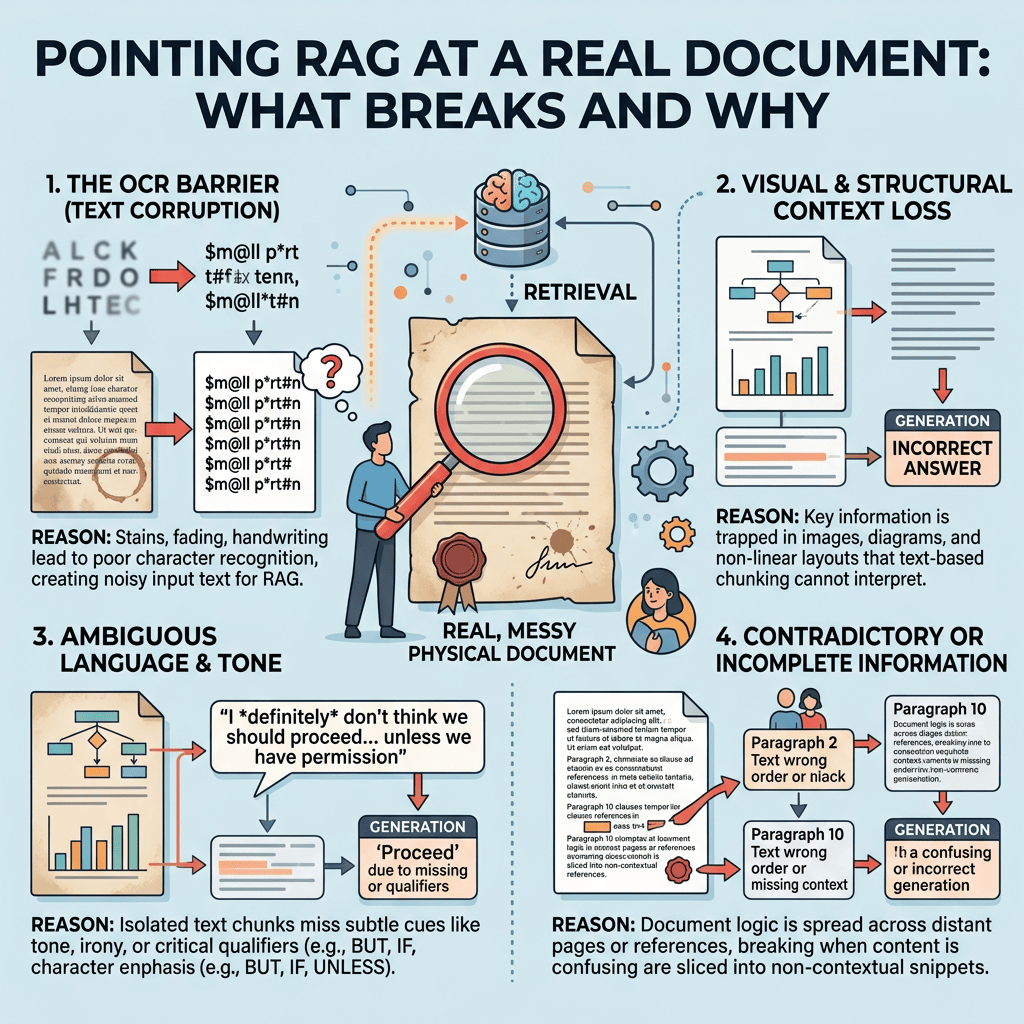
Fourth post in this series. The earlier ones used six tidy passages I wrote myself, which is a fine way to learn the mechanics and a terrible way to find out whether any of it works.
This time I loaded a 323 KB file of my own working notes — a support chat transcript full of timestamps, names, half-finished sentences, and two languages — and built an interactive question-answering application over it. The retrieval worked better than I expected. The failures it produced were more interesting than the successes.
Loading a text file
PDFs need DBMS_VECTOR_CHAIN.UTL_TO_TEXT to extract their contents, and extraction quality varies wildly — columns interleave, tables turn to mush, headers pollute every chunk. When retrieval then performs badly you cannot tell whether the chunking, the model, or the extraction is at fault.
A plain text file removes that variable entirely. You know exactly what went in.
Copy the file somewhere the database can read, then define a directory object pointing at it:
sql
create or replace directory VEC_DUMP as '/home/oracle/vecdump';grant read, write on directory VEC_DUMP to vector;
Load it into a CLOB:
sql
create table my_books ( book_id number generated always as identity primary key, file_name varchar2(200), book_text clob);declare l_bfile bfile := bfilename('VEC_DUMP', 'ODA_SR.txt'); l_clob clob; l_dest integer := 1; l_src integer := 1; l_ctx integer := dbms_lob.default_lang_ctx; l_warn integer;begin insert into my_books (file_name, book_text) values ('ODA_SR.txt', empty_clob()) returning book_text into l_clob; dbms_lob.fileopen(l_bfile, dbms_lob.file_readonly); dbms_lob.loadclobfromfile(l_clob, l_bfile, dbms_lob.lobmaxsize, l_dest, l_src, 0, l_ctx, l_warn); dbms_lob.fileclose(l_bfile); commit;end;/select book_id, file_name, dbms_lob.getlength(book_text) as chars from my_books;
The empty_clob() then returning ... into pattern is the standard way to get a writable LOB locator. You insert a placeholder, get a handle to it, and stream the file into that handle.
Look at the chunks before you embed them
This is the step I would skip if I were in a hurry, and it is the step that tells you the most.
UTL_TO_CHUNKS splits text without storing anything, so you can preview the result and adjust before committing to an embedding run:
sql
set linesize 200set pagesize 100column chunk_txt format a110select json_value(c.column_value, '$.chunk_id' returning number) as id, json_value(c.column_value, '$.chunk_length' returning number) as len, substr(json_value(c.column_value, '$.chunk_data'), 1, 110) as chunk_txtfrom my_books b, dbms_vector_chain.utl_to_chunks( b.book_text, json('{"by":"words","max":150,"overlap":15,"split":"recursively","normalize":"all"}') ) cwhere rownum <= 10;
And get the total before you commit to it:
sql
select count(*) as total_chunksfrom my_books b, dbms_vector_chain.utl_to_chunks( b.book_text, json('{"by":"words","max":150,"overlap":15,"split":"recursively","normalize":"all"}') ) c;
323 KB produced 811 chunks averaging 400 characters each.
The preview showed what I was really dealing with. Something like this, sanitized:
ID LEN CHUNK_TXT 1 385 [7:44 PM] SR number [7:44 PM] should I collect from DOM0 or oda-base 6 531 8 468 # odaadmcli show env_hw # odacli describe-system 9 510 3) Please upload following log files /opt/oracle/dcs/log/dcs-agent.log during the time of the failure
Chunks 8 and 9 are gold — command lists and log paths. Chunk 1 is mostly conversational scaffolding. That mix is what real corpora look like, and seeing it up front told me what kind of results to expect.
Embedding 811 chunks
sql
create table vector_store ( chunk_id number generated always as identity primary key, book_id number, chunk_seq number, chunk_text varchar2(4000), embedding vector(384, float32));set timing oninsert into vector_store (book_id, chunk_seq, chunk_text, embedding)select b.book_id, json_value(c.column_value, '$.chunk_id' returning number), json_value(c.column_value, '$.chunk_data'), vector_embedding(MINILM_L12 using json_value(c.column_value, '$.chunk_data') as data)from my_books b, dbms_vector_chain.utl_to_chunks( b.book_text, json('{"by":"words","max":150,"overlap":15,"split":"recursively","normalize":"all"}') ) c;commit;
811 rows created.Elapsed: 00:01:00.59
One minute for 811 chunks on 2 OCPUs — about 13 per second, with the model running inside the database. A 10,000-chunk corpus would take roughly thirteen minutes. That is a useful number to have when sizing anything real.
The interactive application
The retrieval half is a SQL query. The generation half calls an LLM. The loop just keeps both alive between questions.
One structural point that matters: open the database connection and the OCI client once, outside the loop. Creating them per question adds a second or two to every answer for no reason.
python
import ociimport oracledbCOMPARTMENT = "<your compartment OCID>"ENDPOINT = "https://inference.generativeai.<region>.oci.oraclecloud.com"MODEL = "google.gemini-2.5-flash"DSN = "localhost:1521/FREEPDB1"MAX_DIST = 0.65TOP_K = 5conn = oracledb.connect(user="vector", password=os.environ["DB_PASS"], dsn=DSN)cur = conn.cursor()config = oci.config.from_file("/home/oracle/.oci/config", "DEFAULT")client = oci.generative_ai_inference.GenerativeAiInferenceClient( config=config, service_endpoint=ENDPOINT)def ask(question): cur.execute(""" select c.chunk_text, round(vector_distance(c.embedding, vector_embedding(MINILM_L12 using :q as data), cosine), 4) as dist from vector_store c order by dist fetch first :k rows only """, q=question, k=TOP_K) rows = cur.fetchall() kept = [(t.read() if hasattr(t, "read") else t, d) for t, d in rows if d < MAX_DIST] for i, (txt, dist) in enumerate(kept, 1): print(" chunk %d distance %.4f" % (i, dist)) dropped = sum(1 for t, d in rows if d >= MAX_DIST) if dropped: print(" (%d chunk(s) dropped above threshold)" % dropped) if not kept: print("\nNo relevant context found. Not calling the LLM.\n") return context = "\n---\n".join(t for t, d in kept) prompt = ( "Answer the question using only the context below. " "If the context does not contain the answer, say you do not know. " "Be complete: if the context lists multiple items that answer the question, " "list all of them.\n\n" "CONTEXT:\n" + context + "\n\nQUESTION: " + question ) content = oci.generative_ai_inference.models.TextContent() content.text = prompt message = oci.generative_ai_inference.models.Message() message.role = "USER" message.content = [content] chat_request = oci.generative_ai_inference.models.GenericChatRequest() chat_request.messages = [message] chat_request.api_format = \ oci.generative_ai_inference.models.BaseChatRequest.API_FORMAT_GENERIC chat_request.max_tokens = 4000 details = oci.generative_ai_inference.models.ChatDetails() details.serving_mode = \ oci.generative_ai_inference.models.OnDemandServingMode(model_id=MODEL) details.compartment_id = COMPARTMENT details.chat_request = chat_request response = client.chat(details) print("\nANSWER:") print(response.data.chat_response.choices[0].message.content[0].text) print()print("Ask questions about the loaded documents. Type quit to exit.\n")while True: try: q = input("> ").strip() except (EOFError, KeyboardInterrupt): break if q.lower() in ("quit", "exit", "q", ""): break ask(q)
Printing the distances above each answer is not decoration. When an answer looks wrong, the first thing you need to know is whether retrieval found the right material or not, because the two problems have completely different fixes.
Four findings
Retrieval and generation fail independently
The clearest example came from a question about configuring Data Guard:
> how do I configure Data Guard chunk 1 distance 0.2435 chunk 2 distance 0.3305 chunk 3 distance 0.4598ANSWER:I do not know. The context provides various parameters and prompts related to aData Guard configuration (like network settings, passwords, protection mode,configuration name), and mentions an error during a configuration attempt, butit does not describe the steps or method to configure Data Guard.
0.2435 was the strongest retrieval score I have seen anywhere in this work. The chunks genuinely are about Data Guard. And the answer is still “I do not know,” because what the corpus contains is configuration prompts and an error message, not instructions.
This is worth sitting with. A distance threshold filters for topical relevance. It cannot tell you whether a passage actually answers the question. Only the language model reading the passage can do that, and a good one will tell you honestly.
So when a RAG system disappoints, check the distances before changing anything. High distances mean a retrieval problem: fix the documents, the chunking, or the threshold. Low distances with a bad answer mean a generation problem: fix the prompt, or accept that the corpus does not hold the answer.
Chunk quality caps everything downstream
Asking which log files to upload for a patching failure produced a good answer with an honest gap in it:
ANSWER:* You can find the patching logs in `/opt/oracle/oak/log/`.* You should upload the file `/tmp/oda.out`, generated by running: * `odaadmcli show env_hw>>/tmp/oda.out` * `odacli describe-system>>/tmp/oda.out` ... (nine commands in total)The context also mentions "3) Please upload following log files" but does notlist what those specific log files are.
The specific log paths exist in my corpus. They are in the chunk immediately after the one that was retrieved — the heading “3) Please upload following log files” falls at the end of one chunk and the paths start the next.
The 15-word overlap was not enough to carry the list across. Raising TOP_K from 3 to 5 did not fix it either, because the chunk holding those paths also contains a survey URL, a closed SR reference, and an unrelated networking command. Four topics in one chunk dilute all four, so it never ranks highly for any of them.
No amount of parameter tuning recovers that. The distances were good, the prompt was fixed, more chunks were retrieved — and the answer is still incomplete because of how the source was segmented. Chunking is the ceiling on everything that follows.
The threshold belongs to the corpus, not the model
On my earlier clean prose corpus, 0.6 was a good cutoff: real matches landed at 0.40 to 0.52 and noise sat above 0.75.
The same model on chat transcripts behaves differently. Conversational boilerplate — timestamps, names, greetings — appears in every single chunk, contributing a shared component to every vector and compressing the distances toward each other. Good matches here sit at 0.30 to 0.56, and the boundary between signal and noise moved.
A question about checking the prepatch report returned nothing at 0.6. At 0.65 it returned the right answer with a real job ID pulled from my own notes:
> how do I check the prepatch report chunk 1 distance 0.5564 ...ANSWER:You can check the prepatch report using the command:`odacli describe-prepatchreport -i <Job ID>`
You cannot inherit a threshold from a tutorial. Find yours by querying your own data and looking at where the gap falls:
sql
select chunk_seq, round(vector_distance(embedding, vector_embedding(MINILM_L12 using '<a question you know the answer to>' as data), cosine), 4) as distfrom vector_storeorder by distfetch first 20 rows only;
Run that for several questions where you already know which chunk should win. The distance at which the right answers stop appearing is your threshold.
The prompt is not an afterthought
One question retrieved beautifully — 0.3008 and 0.3022 on chunks containing nine separate odacli commands — and the model replied with exactly one command.
Nothing was wrong with retrieval. My prompt said “answer the question using only the context,” and a one-line answer satisfies that instruction perfectly. Adding one sentence changed the behaviour:
Be complete: if the context lists multiple items that answer the question,list all of them.
After which it returned a list.
It is easy to spend an afternoon tuning chunk sizes and thresholds when the actual problem is that you never told the model what a good answer looks like.


Leave a Reply