
Normal SQL search matches characters. WHERE content LIKE '%RAC%' finds rows containing those three letters and nothing else. If a customer describes “cluster node eviction” and my notes say “instance was evicted from the cluster”, a LIKE search finds nothing — different words, same meaning.
Vector search solves that. Text is converted into a list of numbers by an embedding model, and the model is built so that text with similar meaning produces similar numbers. Searching then becomes a geometry problem: turn the question into numbers, find the stored rows whose numbers are nearest.
That’s the whole idea. Everything below is about how to find “nearest” efficiently.
Setting up
I’m running 26ai Free on Oracle Linux 8. The database is a container database called FREE with a pluggable database FREEPDB1.
Create a working user inside the PDB:
sql
alter session set container = FREEPDB1;create user vector identified by vector default tablespace users quota unlimited on users;grant create session, resource to vector;grant db_developer_role to vector;
db_developer_role is the one that matters — it carries the privileges for creating vector indexes. Skip it and you hit permission errors later that are annoying to trace back.
Then connect:
sqlplus vector/vector@localhost:1521/FREEPDB1
The VECTOR datatype
Before any searching, it’s worth seeing what the type actually is:
sql
SQL> select vector('[4,3]') from dual;VECTOR('[4,3]')--------------------------------------------------[4.0E+000,3.0E+000]
That’s a type conversion and nothing more — the same idea as TO_DATE turning a string into a DATE. No model involved, no meaning attached. I’ve handed it text that looks like a vector and got back a VECTOR value with two dimensions stored as FLOAT32. The scientific notation is just how SQL*Plus prints floats.
Real embeddings have hundreds of dimensions and come out of a model via VECTOR_EMBEDDING(). Two dimensions is deliberate here: I can draw it on graph paper and check the arithmetic.
A column declaration can pin down both the size and the format:
sql
embedding vector -- any dimensions, any formatembedding vector(384) -- must be 384 dimensionsembedding vector(384, float32) -- 384 dimensions, float32
Being specific is worth the keystrokes. If a model returns the wrong dimension count, you find out at insert time rather than at query time.
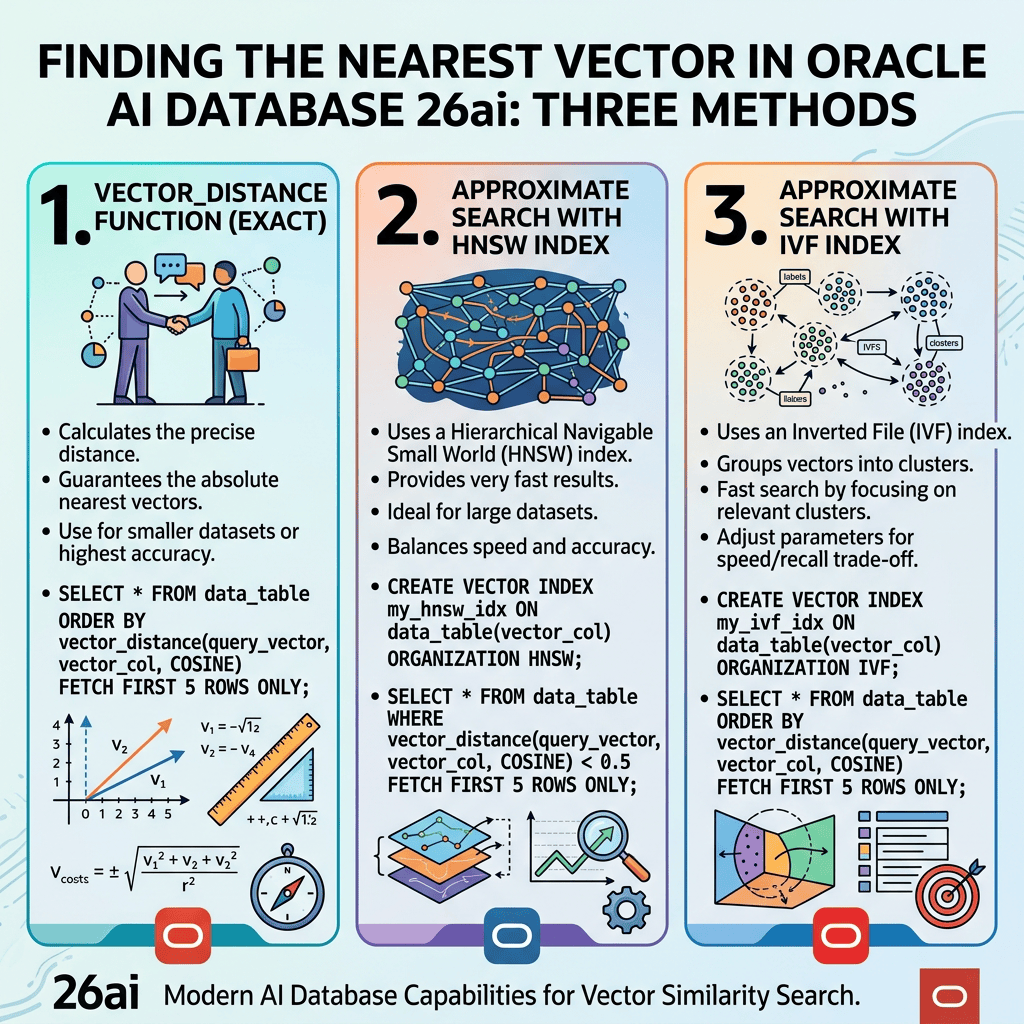
Method 1: Exact search with VECTOR_DISTANCE
Start with nine points arranged in a 3×3 grid — x is 3, 5 or 7, y is 3, 5 or 7.
sql
drop table grid purge;create table grid ( id number primary key, v vector(2, float32));insert into grid values (1, '[3,3]');insert into grid values (2, '[5,3]');insert into grid values (3, '[7,3]');insert into grid values (4, '[3,5]');insert into grid values (5, '[5,5]');insert into grid values (6, '[7,5]');insert into grid values (7, '[3,7]');insert into grid values (8, '[5,7]');insert into grid values (9, '[7,7]');commit;
Note the bare string literals. Oracle converts them to VECTOR automatically on insert into a VECTOR column, so the explicit vector() call is optional here.
Now search from the centre point:
sql
select id, round(vector_distance(v, vector('[5,5]'), euclidean), 3) as distfrom gridorder by dist;
        ID       DIST
---------- ----------
         5          0
         2          2
         4          2
         6          2
         8          2
         3      2.828
         9      2.828
         7      2.828
         1      2.828
Every number is checkable. Point 5 is the query point itself, so distance 0. Points 2, 4, 6 and 8 sit directly above, below, left and right of centre — one straight move of 2 units. The four corners need a diagonal: 2 across and 2 up, so by Pythagoras the distance is the square root of 2² + 2², which is the square root of 8, or 2.828.
That’s all Euclidean distance is — straight-line distance, the number you’d get with a ruler.
Move the query point to the bottom-left corner and the symmetry disappears:
sql
select id, round(vector_distance(v, vector('[3,3]'), euclidean), 3) as distfrom gridorder by dist;
        ID       DIST
---------- ----------
         1          0
         2          2
         4          2
         5      2.828
         7          4
         3          4
         6      4.472
         8      4.472
         9      5.657
Point 9 at the opposite corner is 4 across and 4 up, giving the square root of 32, or 5.657. Points 6 and 8 are 4 across and 2 up: the square root of 20, or 4.472.
Euclidean is not the only metric
Oracle supports several distance metrics, and the choice changes the answer completely:
sql
select round(vector_distance(vector('[4,3]'), vector('[8,6]'), euclidean), 4) as euclid, round(vector_distance(vector('[4,3]'), vector('[8,6]'), cosine), 4) as cosfrom dual;
Euclidean returns 5. Cosine returns 0.
Same pair of vectors, opposite verdicts. Euclidean measures how far apart the points are in space. Cosine measures only the angle between them as seen from the origin, ignoring length entirely — and [8,6] is exactly [4,3] doubled, so it points in an identical direction.
This matters more than it looks. An embedding model may produce a longer vector for a longer document on the same topic. If you use Euclidean, document length starts affecting your matches. Cosine ignores it and compares meaning only, which is why cosine is the usual choice for text.
Method 2: Searching across clustered data
Real vectorised data isn’t spread evenly. It forms clusters, because similar things end up near each other — all the addresses in one region of the space, all the car models in another, all the RAC failure descriptions in a third.
To see what that does to a query, load five separate clusters:
sql
drop table vt1 purge;create table vt1 ( id number primary key, v vector(2, float32));-- cluster A: the original grid, centred near (5,5)insert into vt1 values (1, '[3,3]');insert into vt1 values (2, '[5,3]');insert into vt1 values (3, '[7,3]');insert into vt1 values (4, '[3,5]');insert into vt1 values (5, '[5,5]');insert into vt1 values (6, '[7,5]');insert into vt1 values (7, '[3,7]');insert into vt1 values (8, '[5,7]');insert into vt1 values (9, '[7,7]');-- cluster B: bottom right, near (10,-2)insert into vt1 values (21, '[9,-1]');insert into vt1 values (22, '[10,-1]');insert into vt1 values (23, '[11,-1]');insert into vt1 values (24, '[9,-3]');insert into vt1 values (25, '[10,-4]');insert into vt1 values (26, '[12,-3]');-- cluster C: right, near (14,6)insert into vt1 values (31, '[13,6]');insert into vt1 values (32, '[14,7]');insert into vt1 values (33, '[14,4]');insert into vt1 values (34, '[16,6]');-- cluster D: left, near (0.5,6)insert into vt1 values (41, '[0,7]');insert into vt1 values (42, '[1,7]');insert into vt1 values (43, '[1,6]');insert into vt1 values (44, '[0,5]');insert into vt1 values (45, '[1,5]');-- cluster E: top, near (6,10)insert into vt1 values (51, '[5,9]');insert into vt1 values (52, '[7,9]');insert into vt1 values (53, '[6,10]');insert into vt1 values (54, '[5,11]');insert into vt1 values (55, '[7,11]');commit;
Query from inside cluster A and every result comes from cluster A:
sql
select id, round(vector_distance(v, vector('[5,5]'), euclidean), 3) as distfrom vt1order by distfetch first 5 rows only;
Now query from a point sitting between clusters:
sql
select id, round(vector_distance(v, vector('[10,3]'), euclidean), 3) as distfrom vt1order by distfetch first 8 rows only;
The result set is now mixed — some rows from cluster B, some from C, perhaps one from A. The query vector isn’t inside any cluster, so it pulls the nearest members of several.
Two things drive what comes back: where the query vector sits relative to the clusters, and how many rows you ask for. Run the same query with fetch first 3 and you see only the nearest cluster. Run it with fetch first 15 and you start dragging in neighbours from clusters you never intended to touch.
There’s a trap worth knowing before you build anything on this:
sql
select id, round(vector_distance(v, vector('[25,25]'), euclidean), 3) as distfrom vt1order by distfetch first 5 rows only;
The query point is nowhere near any cluster, and you still get five rows back. Vector search always returns your top N. There is no “no match found” — the nearest rows are returned regardless of whether they’re genuinely close. Production systems apply a distance threshold rather than trusting the ranking on its own, and skipping that step is how a RAG pipeline ends up confidently citing an irrelevant document.
Method 3: Approximate search with vector indexes
Everything above was an exact search: Oracle computed the distance for every row and sorted. Correct, and completely impractical once you have millions of rows.
A vector index groups similar vectors together at build time so that a query only examines the nearby groups. That makes it fast and slightly inexact — you may occasionally miss a true nearest neighbour. Hence approximate nearest neighbour search.
IVF: neighbour partitions
IVF partitions the vectors into clusters and searches only the closest partitions. Build is quick, memory use is modest, and it suits data with natural clusters — which is exactly what vt1 has.
sql
create vector index vt1_ivf_idx on vt1(v) organization neighbor partitions distance euclidean with target accuracy 95;
The distance clause matters. The index is built for one metric. Query it with cosine and Oracle ignores it entirely and falls back to a full scan.
HNSW: in-memory graph
HNSW builds a navigable graph and is faster and more accurate at query time, but it lives entirely in the vector memory pool, so that has to be sized first. From the CDB as sysdba:
sql
alter system set vector_memory_size = 512M scope=spfile;shutdown immediate;startup;
Then back in the PDB:
sql
create vector index vt1_hnsw_idx on vt1(v) organization inmemory neighbor graph distance euclidean with target accuracy 95;
On 26ai Free the vector memory pool is capped, so HNSW on a large dataset isn’t viable there. IVF is the one to learn on a Free instance.
Using the index
An index only engages when you ask for approximate results:
sql
select id, round(vector_distance(v, vector('[5,5]'), euclidean), 3) as distfrom vt1order by vector_distance(v, vector('[5,5]'), euclidean)fetch approximate first 5 rows only;
FETCH FIRST gives an exact scan. FETCH APPROXIMATE FIRST permits the index. That single keyword is the difference between the two access paths, and it’s easy to miss.
Confirm what actually happened:
sql
set autotrace on explainselect id from vt1order by vector_distance(v, vector('[5,5]'), euclidean)fetch approximate first 5 rows only;set autotrace off
And check what got built:
sql
select index_name, index_type, index_subtypefrom user_indexeswhere table_name = 'VT1';
One honest note: on 29 rows the optimiser may well decline the index and scan the table anyway, because a full scan is cheaper. That’s correct behaviour rather than a failure. The value of running it at this size is that you can compare the approximate result against the exact one and see they match — verification you lose the moment the data is too big to check by hand.


Leave a Reply